
eXtended Monitoring
More than a CAN FD tool — an eXtended Monitoring Platform
Dual-channel 8 Mbps CAN FD capture with zero frame loss at full bus load — and Ethernet and digital I/O recorded on the same 10 ns device clock. Live and offline analysis, hardware and software, one price.
Hardware
Reliable by design
"Intermittent faults and high-load tests require a complete trace and precise event timing. A missing frame invalidates the analysis after the event has already passed."
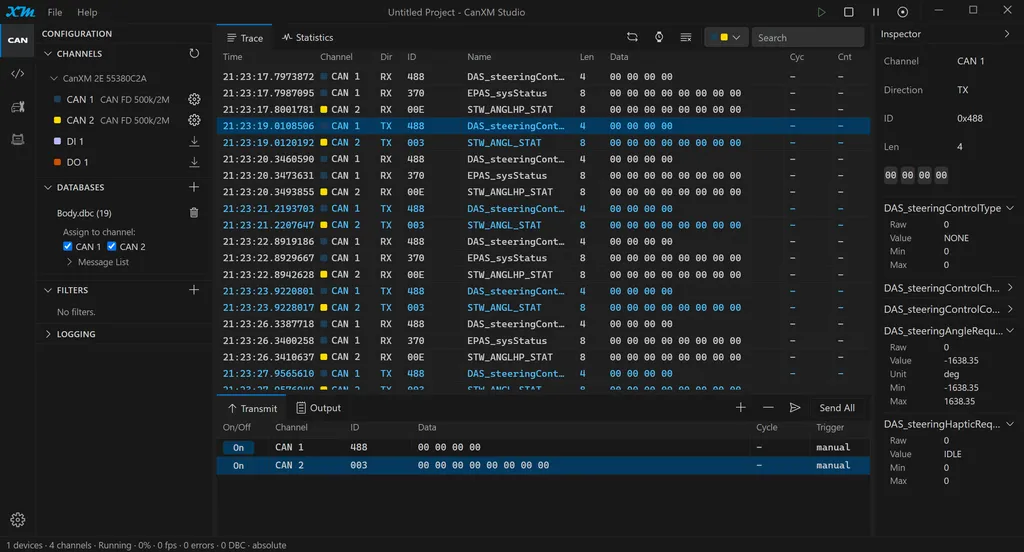
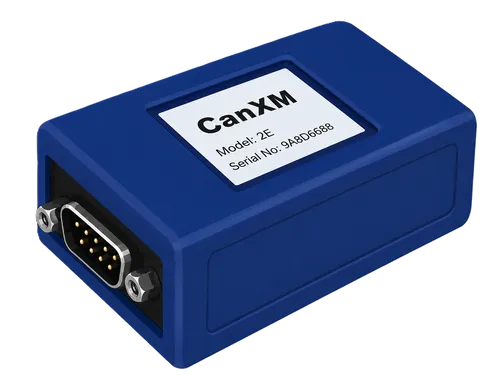
Thoughtfully engineered around a dual-core processor and High-Speed 480 Mbit/s USB, CanXM captures both CAN FD channels without frame loss at full bus load, with timestamps generated in hardware at the interface — capture you can trust when the fault only happens once.
2 independent CAN FD channels: 1 Mbit/s arbitration, 8 Mbit/s data phase, SIC transceivers (Signal Improvement Capability), and programmable termination
Galvanic isolation: CAN, DI, and DO isolated from USB
High-Speed 480 Mbit/s USB 2.0 interface
10/100 Ethernet with standard RJ45 port
MicroSD card slot supporting up to 512 GB for offline logging
1 protected digital input accepting 0–40 V signals up to 1 MHz
1 protected 7 A low-side driver output with over-current and over-temperature protection
10 ns hardware timestamps generated at the interface and synchronized across CAN, Ethernet, DI, and DO
Software
Complete software included — no license tiers, no add-ons
"An analyzer that only captures and sends frames leaves the real debugging work to be done by hand — the software is where the hours go."
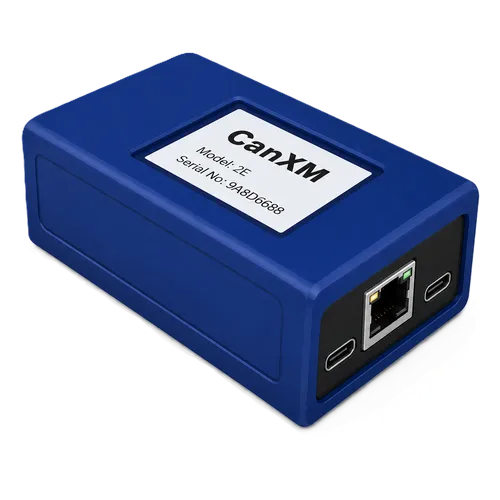
Every CanXM ships with the full software suite — capture, analysis, scripting, diagnostics, and automation — with nothing to unlock and nothing to learn twice. Productive on day one, not after a training course.
Modern, intuitive user interface
Data capture
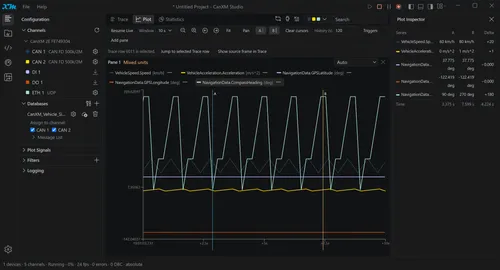
Live and offline plotting and data analysis
Logging to PC, or to SD card with no PC required
Replay logged data to the bus
DBC decode, display, edit, and filter
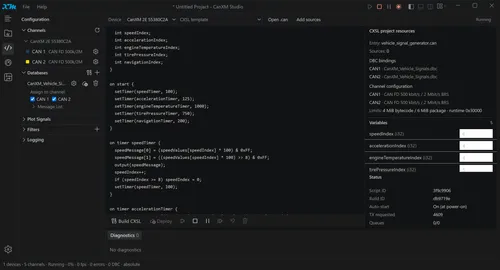
Embedded scripting for simulation and bus control
Python CAN API for automation
Native apps for Windows, Linux, and macOS
Multiple languages: English, Japanese, Chinese
Timebase
Faults cross interfaces. So does the record.
"A CAN request may be answered by an Ethernet response, an input transition, or a scheduled output action inside the same test sequence."
CAN receive events, Ethernet traffic, and digital-input transitions are timestamped in one device timebase. Transmission and output actuation are scheduled in device time. No manual clock-alignment step is required.
This is the eXtended Monitoring in CanXM: CAN, Ethernet, and electrical I/O evaluated in one timing domain.
CAN request → response timing
CAN ↔ Ethernet latency
Network → digital input timing
Network → digital output timing
Event order around intermittent faults
Standalone
Leave it in the vehicle.
"Long-duration capture should not require a computer to stay connected."
Both CAN FD channels record directly to SD — zero loss at full bus load, cards up to 512 GB. Device-resident CXSL scripts can auto-start with no host attached for node simulation, gateway logic, sequencing, and trigger control.
The same platform builds the simulated nodes and sequences that run on the device while no host is attached.
Unattended vehicle logging
Overnight and multi-day capture.
Endurance and bench testing
Same hardware as interactive analysis.
Device-resident automation
Scripts auto-start after power-up.
Retrieve and export
Offline analysis and ASC export.
Workflow
From the symptom back to the frame.
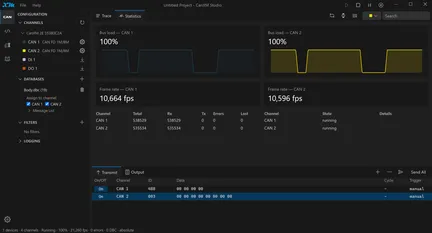
Triggered capture preserves the context around a fault, and signal-level behavior links back to the network traffic underneath it.
Triggered capture
Frames, decoded signals, bus state, error and bus-off events, bus load, input transitions, with pre- and post-trigger context.
Plot ↔ source-frame correlation
Navigate directly between a signal event and the source CAN frame.
DBC analysis
Decode, display, edit, statistics, filtering.
Measurement profiles
Filters, plots, triggers, and database bindings saved together.
Applications
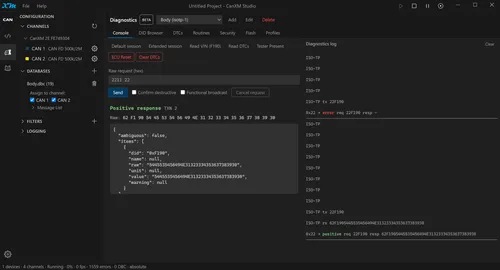
Diagnose and program without changing tools.
CXSL scripting
CXSL is a CAPL-compatible embedded source profile. Supported .can and .cin source can be reused directly for simulation, gateway logic, test sequencing, trigger control, and other device-resident functions. Scripts can auto-start and run without a connected host. CANoe desktop-application APIs remain outside the compatibility profile.
Python automation
Python provides access to transmit/receive, signals, logging, replay, triggers, diagnostics, ECU programming, and digital I/O. python-can compatibility supports integration with existing Python-based test environments.
Compatibility
Use the engineering assets you already have
Reuse your automation and workflow with little effort
ASC traces
Import, export, replay
DBC databases
Decode, display, edit, generate
CAPL .can / .cin
Supported source reuse through CXSL
ODX / PDX
Diagnostic-data import
python-can
Automation compatibility
CSV / SVG
Analysis export
Specifications
The hardware interface, in full.
CANoe and CAPL are trademarks of Vector Informatik GmbH. All other product names, trademarks, and registered trademarks are the property of their respective owners and are used for identification and compatibility purposes only. CanXM is an independent product and is not affiliated with, endorsed by, or sponsored by Vector Informatik GmbH or any other tool vendor.
Evaluate it before you buy.
Open the software in a browser, work with sample data, and inspect the analysis workflow. No hardware or installation required.